Top-tier canvassing software should include GPS territory management, real-time data synchronization, and customizable surveys/scripts. It must also feature offline mode for remote areas, two-way CRM integration, and mobile accessibility on iOS and Android to streamline field operations and eliminate manual paperwork.
So, if you're already evaluating canvassing software, you're past the "what is this?" phase. You know door-to-door works. You know your team needs a better system.
The real question isn't whether you need canvassing tools; it's which features actually solve your operational problems and which ones are just glossy add-ons inflating the price.
Key Takeaways
- Canvassing software is not just a contact organizer; it's a complete field operations platform that manages territory, routing, data collection, and team performance.
- The most impactful features are territory management, route optimization, offline mode, and CRM integration because they solve the most expensive operational problems.
- Turf management and walk lists are often overlooked but are critical for any team managing large-scale door-to-door campaigns.
- Offline functionality is non-negotiable for real field use; verify it covers full functionality, not just read access.
- Always ask about transparent pricing; per-user fees that scale unpredictably can make a cost-effective tool expensive quickly.
- The best canvassing app is the one your reps will use consistently in the field, not the most feature-rich option on paper.
Compare platforms with confidence
Knockbase is an all-in-one canvassing solution built for field teams that take their operations seriously. From turf management and walk lists to real-time analytics and CRM integration, it's everything your team needs in one place. Explore Knockbase canvassing features.
What to Look for in Canvassing Software Before You Commit to a Platform?
Your reps are out there knocking doors. Meanwhile, back at base, you're staring at a spreadsheet trying to figure out how many doors they've actually knocked, which leads are warm, and why three of them canvassed the same street. Again.
That's exactly where canvassing software enters the picture. But not all canvassing apps are created equal, and picking the wrong one is just as expensive as picking none at all.
This buyer's guide is written for sales managers, campaign managers, and field team leaders who are actively comparing platforms. It maps every essential feature to the real operational problem it solves, so you can walk into a demo knowing exactly what to ask and what to walk away from.
Why Canvassing Teams Underperform Without the Right Tools?
The classic setup a spreadsheet, a printed walk list, and a group chat works fine for a two-person team on a single block. The moment you scale, it starts breaking. Here are some of the most common reasons canvassing teams struggle without dedicated software.
1. No Shared Source of Truth
When every sales rep maintains their own notes, spreadsheets, or contact lists, information becomes fragmented. Some updates happen immediately, while others are forgotten until the end of the day or never recorded at all. Managers are left chasing updates, verifying lead statuses, and trying to piece together incomplete information.
2. Manual Data Entry Creates Costly Errors
Manual processes increase the likelihood of duplicate records, missing customer information, inaccurate notes, and forgotten follow-ups. Small mistakes quickly compound as teams grow.
A lead may receive multiple visits from different reps, important qualification details may never be recorded, or promising prospects may disappear from the pipeline altogether. Mobile canvassing software eliminates much of this risk by allowing reps to capture and synchronize information directly from the field.
3. Limited Visibility Into Field Activity
Without real-time reporting, managers have little insight into what's happening throughout the day. They can't easily see which territories have been completed, how many doors have been knocked, which reps are performing well, or where additional support is needed.
4. Follow-Ups Slip Through the Cracks
Not every conversation results in an immediate sale. Many prospects ask for more information, request another visit, or prefer to schedule a conversation at a later date.
Without automated reminders and centralized lead management, these follow-ups rely entirely on individual reps remembering to reach back out. As schedules become busier, promising opportunities are often forgotten, allowing interested prospects to lose interest or choose a competitor instead.
5. Territory Overlap and Coverage Gaps
Manual territory planning often leads to inefficiencies. Multiple reps may unknowingly canvass the same neighborhood while other areas receive little or no attention.
This not only wastes valuable selling time but also creates an inconsistent customer experience. Structured territory management ensures every neighborhood is assigned correctly, eliminates overlap, and helps teams maximize coverage across the entire sales area.
6. Performance Is Difficult to Measure
When activity is tracked manually, it's difficult to understand what's actually driving results. Managers may know how many sales were closed, but they often lack visibility into the activities that produced those outcomes.
Without accurate reporting, it's challenging to identify top-performing reps, uncover coaching opportunities, measure conversion rates, or optimize canvassing strategies over time.
These challenges aren't isolated incidents; they're common growing pains for teams relying on manual processes. The right canvassing software doesn't simply organize information; it creates a structured, repeatable workflow that improves visibility, strengthens team collaboration, and helps field teams execute their canvassing strategy more consistently.
What Features Should You Look for in Canvassing Software?
1. Territory Management That Prevents Rep Overlap
The problem it solves: Reps accidentally cover the same neighborhood. Leads get duplicated. Customers receive multiple visits from the same organization, which damages credibility and wastes effort.
Territory management is the operational spine of any canvassing software worth paying for. It lets campaign managers define geographic boundaries, assign reps to specific zones, and prevent any overlap in real time.
What to look for specifically: the ability to create territories by ZIP code, neighborhood, or custom boundary; instant reassignment when rep availability changes; visual territory mapping on a live map; and built-in ownership rules so that no two reps are ever working the same zone.
Business outcome: Cleaner coverage, no duplicate visits, and managers who can track progress visually without making a single phone call.
2. Route Optimization That Maximizes Doors Knocked Per Day
The problem it solves: Reps waste time backtracking, driving inefficient paths, and burning fuel between conversations. Fewer conversations happen and productivity drops.
Route optimization takes a list of addresses and calculates the most efficient walking or driving sequence, accounting for traffic, proximity, and time. In practice, saving even 15–30% of their daily drive time after implementing route-planning software.
What to look for: Look for software that automatically generates the fastest routes, supports both driving and walking directions, allows mid-day route adjustments, and prioritizes scheduled appointments alongside new prospects. The platform should also help managers assign routes based on territory and rep availability rather than relying on manual planning.
Business outcome: More doors knocked per rep per day, reduced fuel costs, and higher conversion volume from the same team size.
3. Mobile-First Design That Works in the Field
The problem it solves: Software built for office use fails field reps. Cluttered interfaces, slow load times, and desktop-only features create friction at exactly the moment when reps need to be fast and confident.
What to look for: A good canvassing app should feel like it was designed for someone standing on a porch, not sitting at a desk. That means a user-friendly interface with large tap targets, quick lead logging with minimal form fields, offline access as a default (not an afterthought), and clear visibility into the rep's daily task list without digging through menus.
Business outcome: Higher data quality, faster field interaction logging, and reps who actually use the software consistently.
4. Offline Mode That Keeps Teams Running Without Signal
The problem it solves: Cell coverage is unreliable in suburban neighborhoods, rural areas, and dense urban zones. If your canvassing software requires a constant internet connection, your data collection stops the moment the signal drops.
Offline functionality means reps can continue logging doors knocked, capturing survey responses, updating lead statuses, and navigating route mapping all without internet access. The data queues locally and automatically syncs the moment connectivity is restored via real-time syncing.
What to verify: Ask vendors specifically whether offline mode covers full functionality or only partial features. Some platforms only allow read access offline, not write access, which defeats the purpose.
Business outcome: Uninterrupted data collection regardless of coverage, no lost survey responses, and a canvassing strategy that doesn't depend on cell phone numbers or signal strength.
5. Real-Time Tracking and Dashboards for Manager Visibility
The problem it solves: Managers have no live visibility into what's happening in the field. Everything is reported after the fact, which means coaching, routing adjustments, and territory reassignments happen too late.
Real-time tracking gives sales managers a live map of where every rep is, which doors they've knocked, and what outcomes they've logged. Real-time dashboards aggregate this into actionable insights: conversion rates by territory, doors knocked per hour, follow-up backlog, and team-wide performance trends.
What to look for: Look for live dashboards that display rep locations, completed visits, active territories, appointment progress, and conversion metrics in real time. Managers should also be able to identify underperforming areas, monitor field activity, and make immediate adjustments without waiting for end-of-day reports.
Business outcome: Faster mid-day adjustments, better coaching conversations, and managers who can intervene proactively rather than reactively.
6. Lead Management and Pipeline Management in One Place
The problem it solves: Leads captured in the field end up in different systems, or nowhere. Follow-ups get missed. There's no single view of where prospects stand in the sales process.
What to look for: The software should centralize every customer interaction, including lead status, notes, appointment history, follow-up reminders, and communication logs. A visual sales pipeline with customizable stages makes it easier to track opportunities from the first conversation through to conversion.
Business outcome: No missed follow-ups, a clean pipeline, and field interaction data that's immediately usable for next-step decisions.
7. Customizable Surveys and Data Collection Built for Your Industry
The problem it solves: Generic data fields don't capture the relevant data your specific industry needs. A roofing team needs different information from a door than a political canvassing team collecting voter data.
What to look for: Choose software that allows you to build custom forms without coding. Look for features such as custom fields, conditional questions, dropdown menus, image uploads, required fields, and reusable templates that can be tailored to your industry's qualification process. Small teams particularly benefit here, because they often have niche qualification criteria that generic canvassing apps can't accommodate.
Business outcome: Cleaner, more relevant data collected at the door, better lead qualification, and fewer follow-up calls needed to fill gaps.
8. CRM Integration That Eliminates Manual Data Entry
The problem it solves: Field reps capture data in one tool, then someone manually re-enters it into the company's CRM. This wastes hours and introduces errors.
CRM integration connects your canvassing app directly to your existing systems — so that leads, contact details, appointment bookings, and survey responses sync automatically without anyone touching a keyboard to transfer them. This is one of the highest-ROI features in any canvassing software because it eliminates an entire category of wasted labor: manual data entry.
What to look for: Prioritize software with native integrations to the CRM and business tools you already use. It should support two-way synchronization, automatic field mapping, contact updates, appointment syncing, and real-time data transfers so your office and field teams always work from the same information.
Business outcome: Hours saved per week on data transfer, elimination of duplicate records, and a seamless transition from field data to office pipeline.
9. Reporting Tools That Turn Field Data Into Decisions
The problem it solves: Data gets collected but never used. Managers don't have time to manually compile reports, so canvassing results sit in the system without driving any strategic change.
Reporting tools should automatically surface the metrics that matter: doors knocked per rep, conversion rate by territory, follow-up completion rate, and campaign-level performance trends.
What to look for: Look for customizable dashboards that track KPIs such as doors knocked, appointments booked, conversion rates, follow-up completion, territory performance, and rep productivity. The ability to filter reports by date, territory, campaign, or individual rep will make coaching and decision-making much more effective.
Business outcome: Data-driven coaching, faster strategic pivots, and canvassing efforts that improve with every campaign cycle.
Must-Have vs. Nice-to-Have: How to Prioritize Features
| Feature | Priority | Why It Matters |
|---|---|---|
| Territory Management | ✅ Must Have | Prevents overlap and ensures complete coverage |
| Route Optimization | ✅ Must Have | Reduces travel time and increases daily visits |
| Mobile App (iOS & Android) | ✅ Must Have | Gives reps access to leads, routes, and appointments on the go |
| Offline Mode | ✅ Must Have | Keeps reps productive without internet access |
| Lead Management | ✅ Must Have | Tracks leads, notes, and follow-ups in one place |
| Real-Time Tracking | ✅ Must Have | Gives managers live visibility into field activity |
| CRM Integration | ✅ Must Have | Syncs customer data and eliminates manual entry |
| AI Lead Scoring | Nice to Have | Captures industry-specific information at every visit |
| Gamification & Leaderboards | Nice to Have | Prioritizes high-potential prospects |
| Fundraising Tools | Nice to Have | Helpful for nonprofit fundraising campaigns |
| Volunteer Coordination | Nice to Have | Simplifies volunteer management and assignments |
| Predictive Analytics | Nice to Have | Identifies trends and forecasts performance |
| Digital Contracts & E-Signatures | Nice to Have | Speeds up approvals and closes deals faster |
What Separates Basic Canvassing Apps From Professional Canvassing Software?
| Basic Canvassing Apps | Professional Canvassing Software |
|---|---|
| Stores contacts | Manages full pipeline from door to close |
| Simple maps | Advanced mapping with intelligent turf cutting |
| Manual route planning | Automated route optimization with live rerouting |
| Limited reporting | Real-time dashboards and deep insights |
| No manager visibility | Live team tracking and field operations control |
| No offline mode | Full offline functionality with real-time syncing |
| No CRM integration | Bidirectional sync with existing systems |
| Generic data fields | Tailored surveys and customizable data collection |
| Paid apps with feature caps | Transparent pricing that scales with team size |
Top 3 Best Canvassing Apps for Door-to-Door Sales
The canvassing software market has matured significantly. What started as basic door-knocking apps has evolved into complete field operations platforms- with AI lead scoring, GPS heat maps, turf cutting, offline architectures, and gamified rep motivation layers.
Here are the five platforms that consistently stand out for field across different use cases and team sizes.
1. Knockbase: Best All-in-One Platform for Field Sales Teams
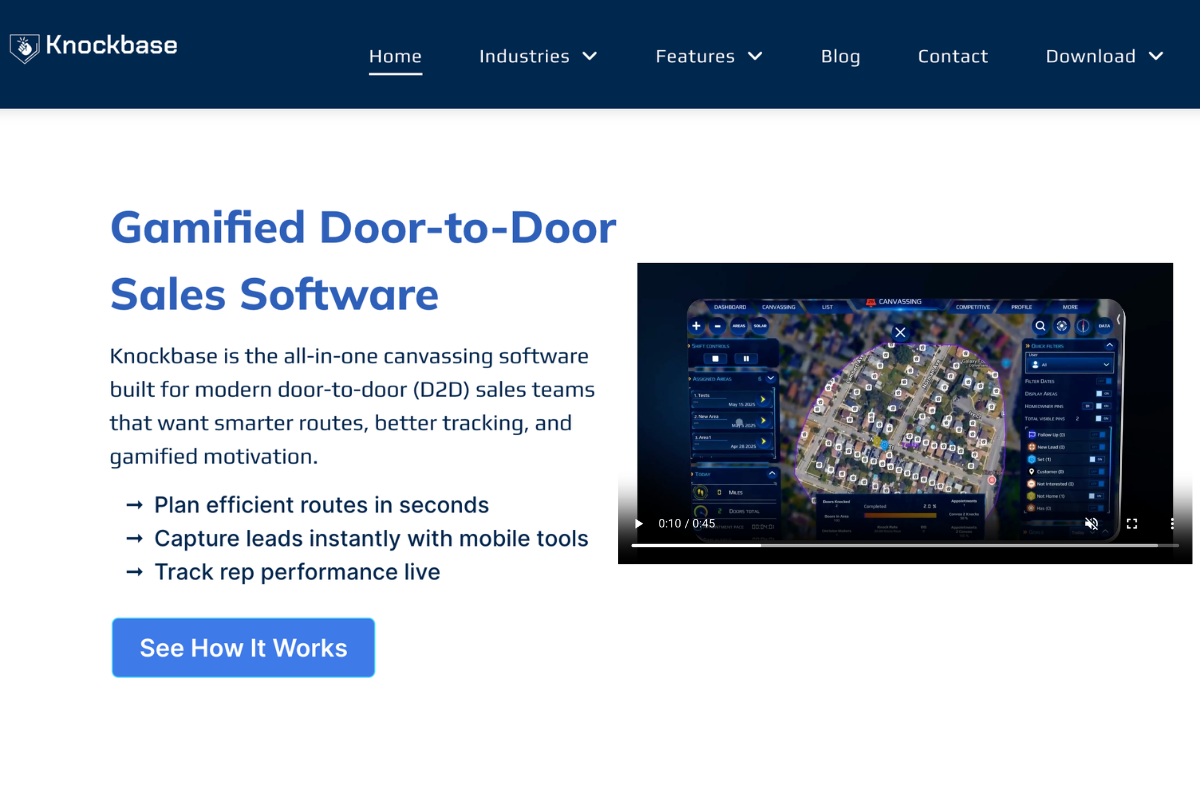
Best for: Field sales teams in solar, roofing, pest control, HVAC, and home security, particularly small to mid-market teams that need a mobile-first, offline-capable platform without enterprise complexity.
Knockbase is purpose-built for door-to-door sales from the ground up. It does not carry the technical debt of older platforms that started as generic CRMs and bolted on field features afterward. It operates as a cloud-based digital CRM with a dedicated offline mode for remote, low-connectivity areas.
What it does well:
- Territory management: Custom-drawn zones, color-coded pins, and clear ownership status prevent team overlap.
- Route optimization: Smart maps and automated routing plan daily paths to maximize field time.
- Real-time dashboards: Live activity feeds and rep check-ins keep managers informed without micromanaging.
- Turf cutting: Walk lists and targeted location assignment sync instantly with field mobile devices.
- Lead capture: Immediate data logging, custom forms, photo uploads, and follow-up scheduling in one app.
- CRM integration: Field data automatically syncs back into the main platform architecture to remove manual backlogs
Who it's less suited for: Teams with heavy enterprise procurement requirements or those that need deep integration breadth with a complex existing tech stack from day one.
Pricing: Contact for pricing (per user, quote-based). A free demo is available.
2. SalesRabbit: Best for Established D2D Teams With Structured Workflows
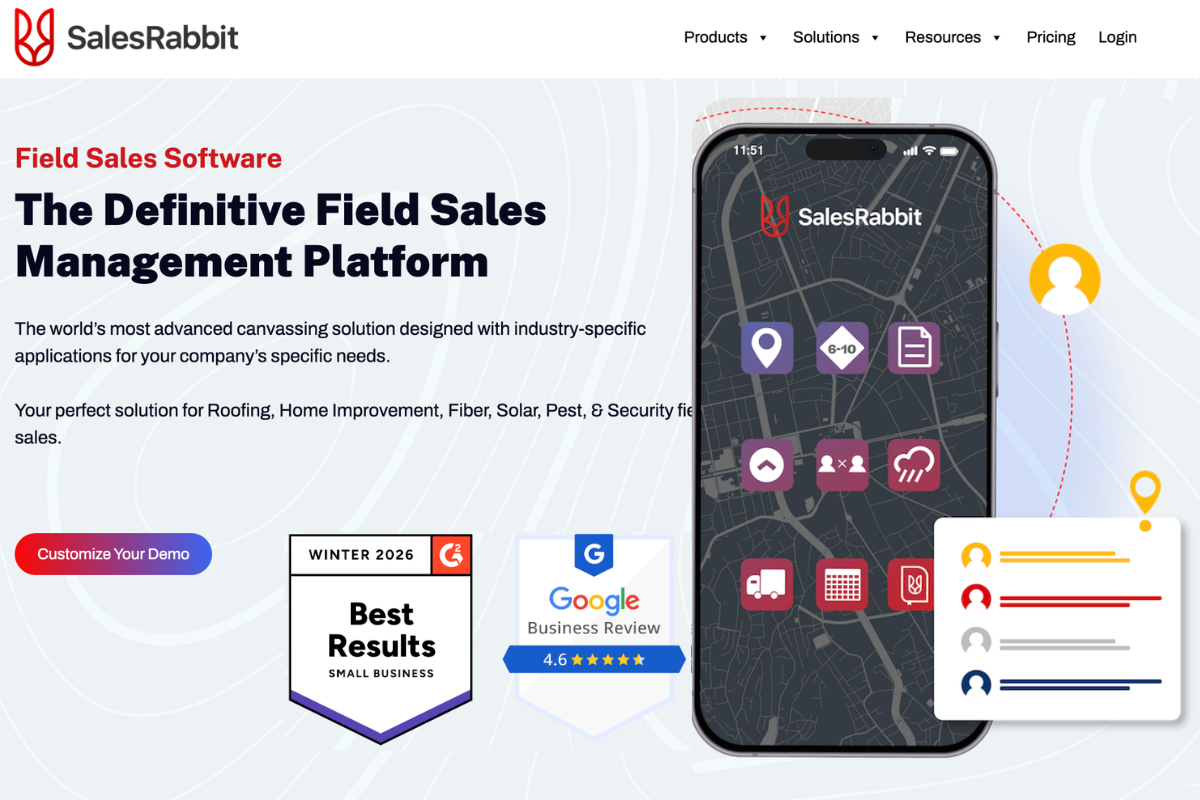
Best for: Established field sales teams in roofing, solar, telecom, and home services with clearly defined sales processes and dedicated operational support.
SalesRabbit is the most widely adopted platform in the door-to-door industry, with a strong track record across high-volume sales operations. Its DataGrid AI feature sets it apart competitively — it identifies high-propensity households in any area based on behavioral and purchase data, so reps can prioritize doors before they even leave the vehicle.
What it does well:
- AI-powered lead prioritization: DataGrid AI targets high-propensity homes to boost contact rates.
- Mobile-first experience: High-performance app built specifically for active field reps.
- Training and gamification: Built-in modules and leaderboards drive rep development and motivation.
- Low-barrier entry: Free Lite tier allows individuals and tiny teams to test core features
Who it's less suited for: Teams that want an out-of-the-box setup without dedicated operations support to manage the platform's depth.
Pricing: Free Lite tier available. Paid plans start around $59/user/month for team tiers.
3. SPOTIO: Best for Enterprise Field Sales Organizations
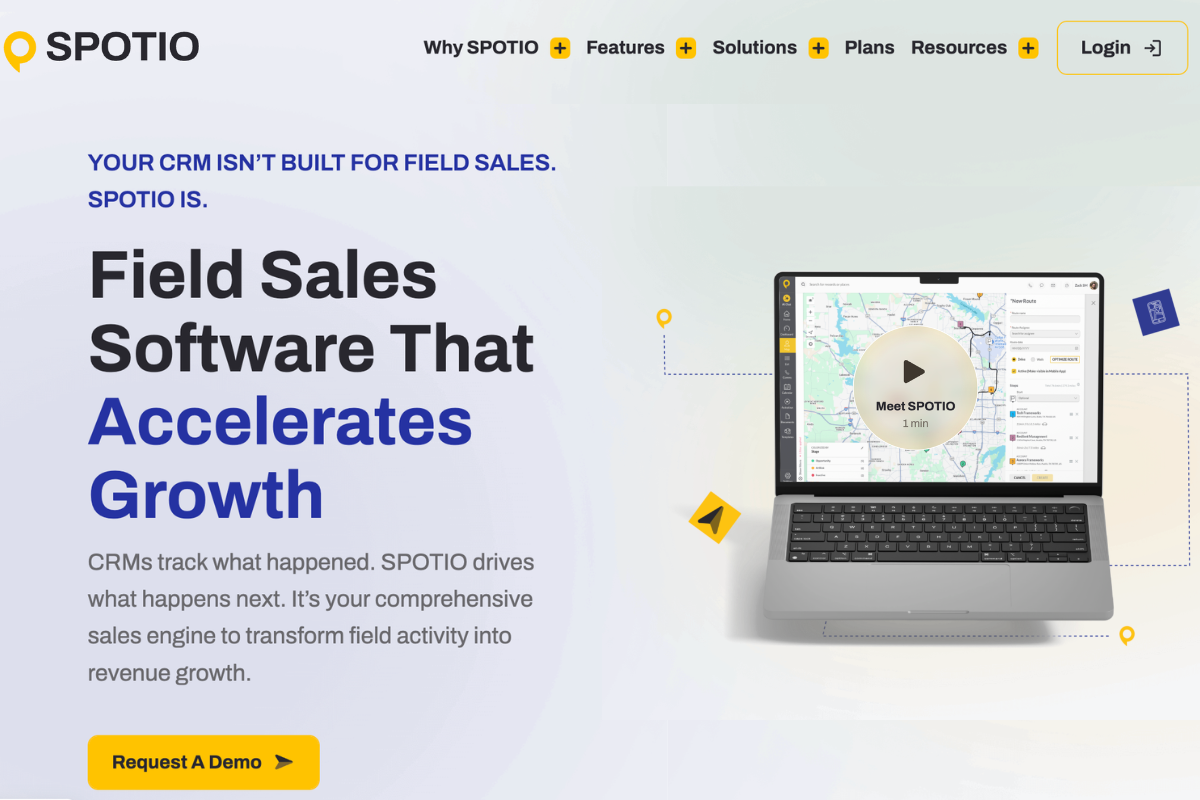
Best for: Outside sales organizations (5+ reps) managing multi-territory business-to-business (B2B) routing or high-volume residential territory operations requiring deep CRM integration.
SPOTIO serves as an enterprise-grade field execution layer built to fit seamlessly within data-heavy sales environments. While alternative software wins on pure neighborhood block-canvassing simplicity, SPOTIO focuses on territory analytics depth, multi-channel communication (calling, texting, emailing), and robust integration flexibility.
What it Does well:
- Flexible CRM integration: Fits seamlessly into CRM-heavy environments with advanced, custom workflow configurations.
- Multi-channel outreach: Allows reps to call, email, and text prospects directly from the mobile map interface.
- B2B and B2C versatility: Highly optimized for both business-to-business route planning and residential prospect filtering.
- Granular analytics: Deep data visualization tools that track rep field performance against regional pipeline targets
Who it's less suited for:
- Solo reps or tiny teams: Strict 5-user account minimums and annual contract requirements make it impractical for individual contractors.
- Basic residential crews: Pure "storm-chasing" or simple neighborhood-knocking teams may find the data mapping and workflow architecture unnecessarily complex.
Pricing: Custom pricing plans scaled by feature needs and team size.
Quick Comparison: Which App Fits Your Team?
| Platform | Best For | Offline Mode | Pricing Model |
|---|---|---|---|
| Knockbase | Solar, roofing, pest, HVAC teams using Sunbase CRM | Full offline-first capability | Quote-based via demo |
| SalesRabbit | High-volume D2D teams needing gamification | Partial (manual sync required) | Free tier available; paid from $39/user/mo |
| SPOTIO | Multi-territory B2B & enterprise sales organizations | Full offline field caching | Custom annual plans (5-user minimum) |
The right choice depends on your team size, use case, offline requirements, and how much operational depth your team is ready to adopt. If you're primarily evaluating for commercial field sales in home services industries, the decision usually comes down to Knockbase vs SalesRabbit based on offline requirements and team size.
How to Choose the Right Canvassing Software for Your Team?
Choosing canvassing software is a four-decision stack on top of each other. Teams that approach it as one often end up selecting a platform that looks good in a demo but doesn't match how their operation actually works in the field. Here's the framework that matters:
Step 1: Define Your Primary Use Case First
The biggest mistake teams make is evaluating canvassing tools without being specific about what they actually need the software to solve.
A solar company with 20 field reps has fundamentally different requirements from a nonprofit managing 200 volunteers for political canvassing, even if both technically do "door-to-door outreach."
Ask yourself: Is the primary need route efficiency, lead pipeline management, volunteer coordination, data collection, or manager visibility? Start from the operational problem, not the feature list. The right canvassing software for your team is the one that best solves your specific bottleneck, not the one with the most impressive demo.
Step 2: Match Features to Team Size and Scale
The right platform for a five-person sales team in roofing looks different from the right platform for a 150-rep solar operation running across multiple regions. Small teams benefit most from tools that are fast to set up, easy to adopt, and focused on the core canvassing workflow: lead capture, route planning, and follow-up.
Larger field sales operations need stronger territory management, advanced mapping, reporting tools that scale across many reps, and CRM integration that can handle high data volume.
A good rule: Choose a platform your current team can adopt within a day, but that won't cap out when you double headcount.
Step 3: Test the Mobile Experience Before Anything Else
Canvassing apps are field tools. They live on a phone in someone's hand while they're standing on a porch. If the mobile experience is clunky, slow, or requires too many steps to log a door interaction, your reps will stop using it within days regardless of how impressive the desktop dashboard looks.
Before committing to any platform, put the mobile app in the hands of two or three of your actual reps and ask them to log five interactions. Their gut reaction tells you more than any sales demo.
Step 4: Verify Offline Mode Is Truly Full-Functionality
Many canvassing apps advertise offline mode but deliver it only partially: reps can read data but can't write new entries, or the map loads but route optimization doesn't work. This is a critical distinction.
Real offline functionality means reps can do everything they'd normally do: log door outcomes, capture survey responses, update lead status, navigate route mapping with zero connectivity, syncing automatically once a signal returns.
Always ask vendors: "What specific features are unavailable in offline mode?" If the answer is anything other than "none," clarify whether those limitations affect your most common field scenarios.
Step 5: Evaluate Pricing Transparency Against Long-Term Scale
Transparent pricing means you can calculate total cost at 10, 25, and 50 reps without needing a negotiation. Platforms with custom quote-only pricing aren't necessarily expensive, but you need to model the cost at your projected team size before committing, not just at your current size.
Watch for per-user pricing that accelerates at volume tiers and feature locks that require upgrading plans to access essential features your team will need within six months.
What Questions Should You Ask Before Buying Canvassing Software?
Very few buyers ask the right questions before committing to a platform. Here's your pre-purchase checklist:
- Does it work fully offline? (Not just read-only; can reps log and update in offline mode?)
- Can territories be reassigned in real time? (Mid-day reassignments are common in field ops)
- How accurate is GPS tracking? (Ask for specifics, not a general yes)
- Does it integrate with our existing CRM? (And is the sync bidirectional?)
- Can managers see live activity from a dashboard? (Not just end-of-day reports)
- How long does onboarding take? (A good canvassing app should take hours, not weeks)
- *Is routing automatic, or does a rep have to configure it manually?
- Can we create custom survey fields for our specific data?
- Is there a limit on users or data storage?
- Is pricing transparent? (Watch for per-user fees that balloon at scale)
If a vendor can't answer these questions clearly and specifically, that's relevant data before you sign anything.
What Mistakes Do Teams Make When Choosing Canvassing Software?
| Common Mistake | Why It's a Problem | What to Do Instead |
|---|---|---|
| Choosing feature count over feature fit | Too many unused features add complexity and reduce adoption | Prioritize software that matches your team's workflow and daily needs |
| Ignoring the mobile experience | Field reps rely on mobile devices, and a poor app slows productivity | Test the mobile app for usability, speed, and offline functionality before buying |
| Overlooking integration complexity | Poor integrations create duplicate data entry and disconnected workflows | Verify CRM integrations, two-way sync, and field mapping during the evaluation |
| Choosing software that can't scale | Outgrowing the platform leads to costly migrations and operational disruption | Select software that can support your future team size and business growth |
| Not involving field reps | Low user adoption reduces the software's overall value | Include sales reps in demos and trials to ensure the platform is practical for daily use |
Conclusion
Choosing canvassing software is about identifying the platform that solves your specific operational problems the ones costing your team time, leads, and momentum every single day.
The most effective canvassing strategy in the world still fails if it runs on broken systems. Territory management stops rep overlap. Route optimization maximizes every shift. Offline mode keeps data flowing regardless of signal. These are the infrastructure that separates field teams that scale from field teams that struggle.
Evaluate platforms against the problems they solve, not the features they advertise. Ask the hard questions before you demo. And choose a tool your team will actually use.
Ready to see how the right canvassing software transforms your field operations?
Knockbase combines territory management, route optimization, real-time tracking, offline mode, and CRM integration into one mobile-first platform built for serious field sales and canvassing teams. Request a free demo and see how it maps to your specific operation. Request a Demo of Knockbase.
FAQs
What is canvassing software used for?
Canvassing software is used to manage door-to-door outreach operations — including territory assignment, route planning, lead capture, volunteer tracking, and performance analytics. It's used by field sales teams, political campaigns, nonprofits, and any organization that relies on face-to-face field interaction.
What's the difference between canvassing apps and canvassing software?
Canvassing apps typically refer to mobile applications used in the field, while canvassing software refers to the broader platform including manager dashboards, reporting tools, CRM integration, and team management capabilities. The best platforms are both: a powerful mobile app backed by a complete management system.
Do I need canvassing software for a small team?
Yes. Small teams often benefit the fastest because even minor efficiency gains like saving 20 minutes per rep per day on route planning translate directly into more doors and higher conversions without adding headcount.
What's the most important feature in canvassing software?
It depends on your primary bottleneck. For most field sales teams, territory management and route optimization deliver the most immediate ROI. For teams with large-scale data operations, CRM integration and real-time data collection matter most. For political canvassing, offline mode and customizable surveys tend to be the deciding factors.
How does offline mode work in canvassing apps?
In a properly built canvassing app, offline mode allows reps to fully use the app, logging doors, capturing survey responses, updating lead statuses, and following route mapping without an internet connection. All data queues locally and syncs automatically once connectivity is restored.
What is turf cutting in canvassing?
Turf cutting refers to dividing a larger territory into smaller, daily-workable assignments for individual reps or canvassers. It ensures complete coverage without overlap and is a standard feature in professional canvassing software for both field sales and political canvassing operations.
What should I look for in canvassing software pricing?
Look for transparent pricing that scales predictably with team size. Watch for per-user fees that balloon as you grow, feature tiers that lock essential capabilities behind premium plans, and any limits on data storage or walk list assignments that could constrain your canvassing strategy

Canvassing Software ROI: How Sales Managers Should Calculate Cost-Per-Knock vs Cost-Per-Lead in 2026